Manage your schedule with ease
Manage your booked runs and schedule with an intuitive calendar interface. Keep track of all your appointments and runs in one place.
One-time purchase, lifetime access.
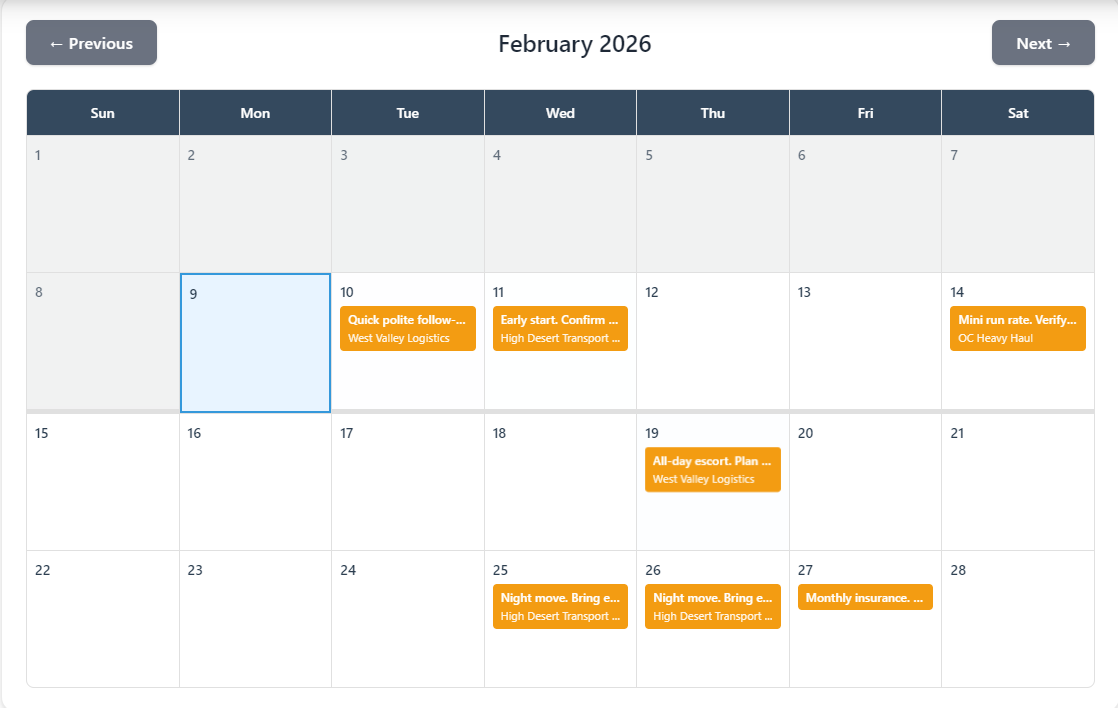
Monthly calendar view
See all your booked runs at a glance with a clean, intuitive monthly calendar interface. Color-coded run statuses make it easy to see your schedule at a glance.
- Monthly calendar grid view of all booked runs
- Color-coded status indicators (pending, confirmed, completed, cancelled)
- Visual schedule overview with run descriptions
- Today highlighting and past date indicators
- Quick navigation between months
Run management
Easily add, edit, and delete runs directly from the calendar. Click any date to add a new run, or click an existing run to edit it.
- Add new runs by clicking any date
- Edit runs directly from the calendar
- Delete runs with confirmation
- Multi-day run support with estimated end dates
- Customer and destination association
- Manual customer entry (create on the fly)
Run details and tracking
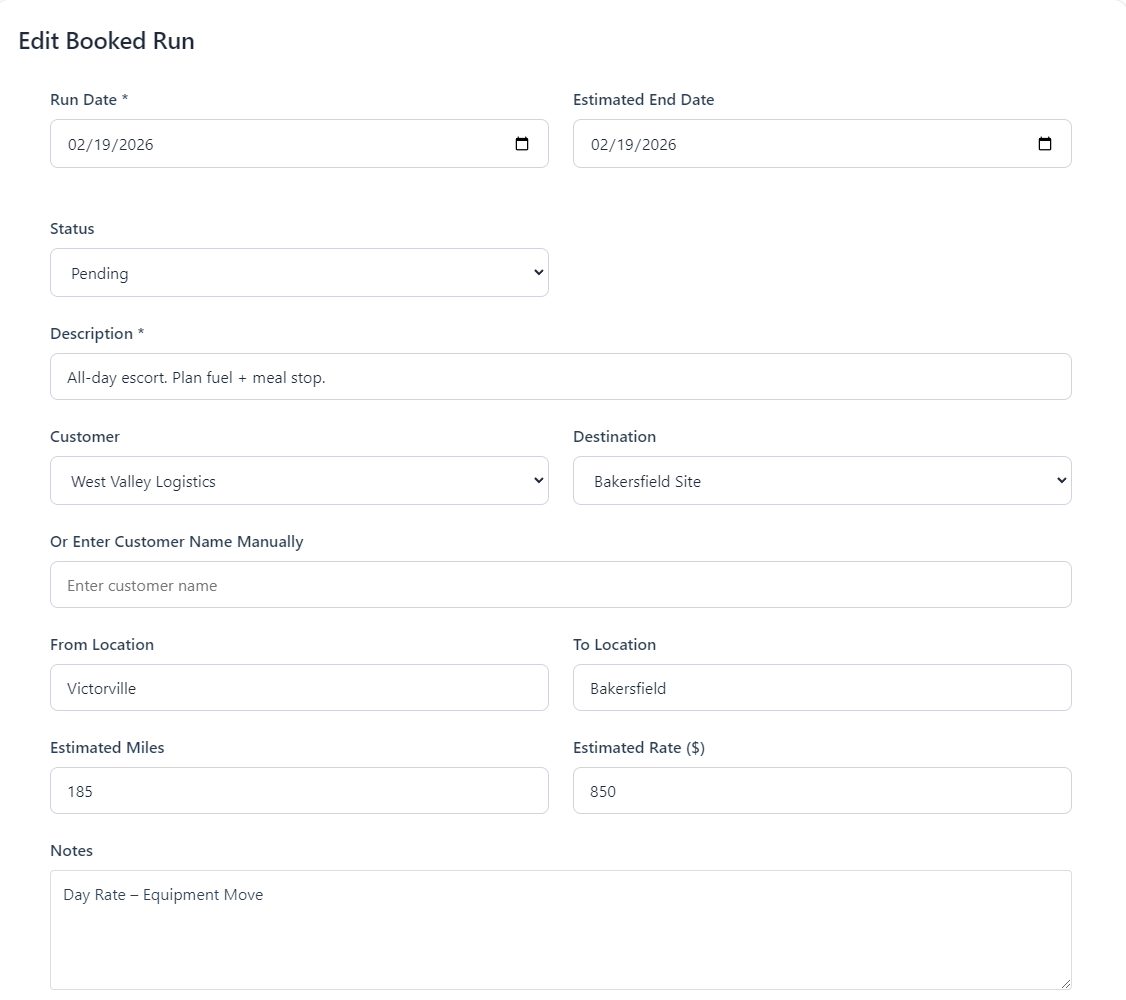
Track comprehensive details for each run including locations, estimates, and status. Keep detailed notes and monitor your upcoming schedule.
- Run status tracking (pending, confirmed, completed, cancelled)
- From and to location tracking
- Estimated miles and rate tracking
- Notes field for additional information
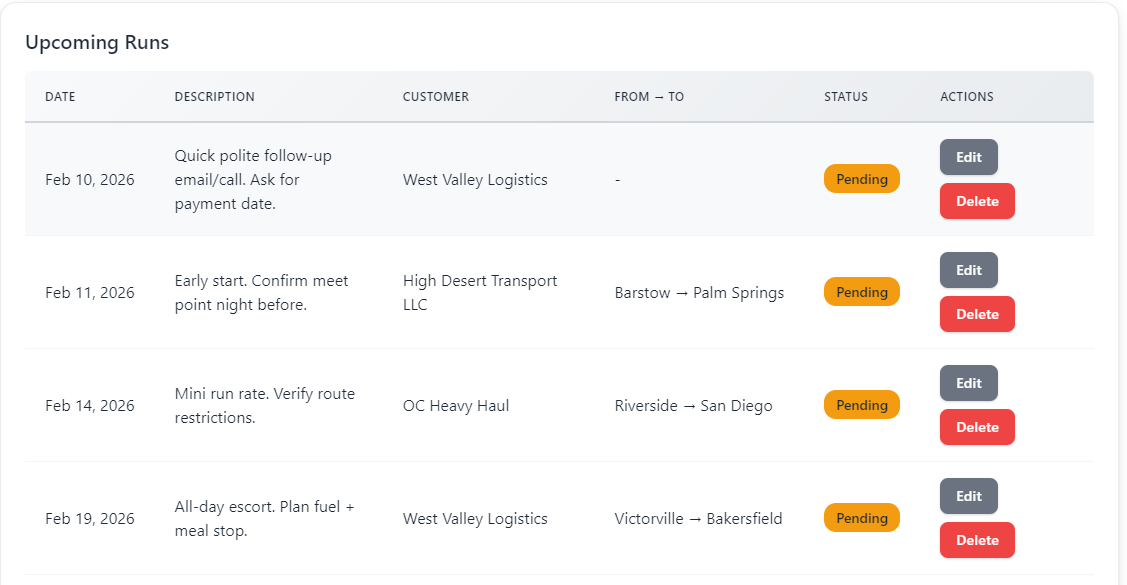
- Upcoming runs list view
- Date-based filtering by month
Smart scheduling features
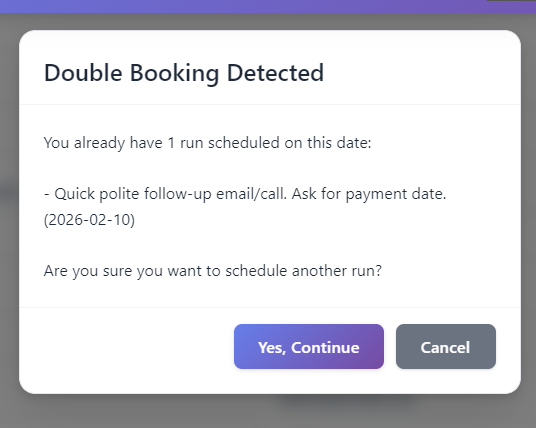
Avoid scheduling conflicts and stay organized with intelligent calendar features designed for pilot car drivers.
- Double-booking detection and warnings
- Quick "Today" button for instant navigation
- Upcoming runs automatically filtered (excludes completed/cancelled)
- Run details visible in calendar cells
- Customer names displayed on runs
Frequently Asked Questions
All Pilot Car Admin features
Invoicing
Create professional invoices in minutes with multiple billing types, automatic status tracking, and ...
Expenses
Keep track of your expenses with mobile receipt scanning, bank account imports, and automated expens...
Mileage Tracking
Track vehicle mileage for tax deductions. Separate business and personal miles, support multiple veh...
Calendar & Scheduling
Manage your booked runs and schedule with an intuitive calendar interface. Keep track of all your ap...
Everything Tied to the Job
Every job keeps its customer, destination, mileage, and billing history together—so nothing gets los...
Offline-First by Design
Pilot Car Admin runs fully offline. Track jobs, mileage, expenses, and invoices all day, then sync a...
Sync That Just Works
Offline-first with secure, bidirectional sync between devices. No accounts, no cloud dependency, no ...
Built Secure from the Ground Up
App lock, auto-lock, license validation, tamper detection, and local-first storage—designed for inde...
Ready to Get Started?
Join pilot car drivers who are already managing their business more efficiently with Pilot Car Admin.
Have questions before buying? Send a quick message and we'll help you decide if Pilot Car Admin is a good fit.