Professional invoicing built for pilot car operators
Create professional invoices with multiple billing types, track payment status automatically, and export PDFs. Perfect for pilot car businesses that need flexible billing options.
One-time purchase, lifetime access.
Flexible billing for every type of run
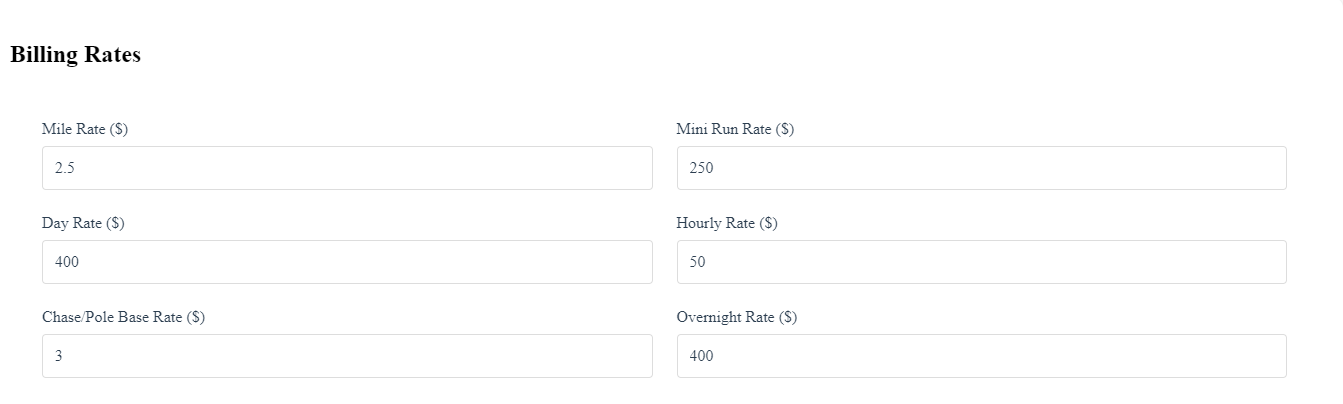
Pilot Car Admin supports all the billing types you need for your pilot car business. Create invoices for standard runs, mini runs, day rates, hourly work, and chase/pole jobs. Add custom extras and overnight rates to capture every charge.
- Multiple billing types: By Mile, Mini Run, Day Rate, Hourly, Chase/Pole
- Track pickup and delivery destinations for each run
- Run date tracking and mileage calculation
- Custom extras and overnight rates
- Simple custom invoices for non-standard billing
Automatic status management
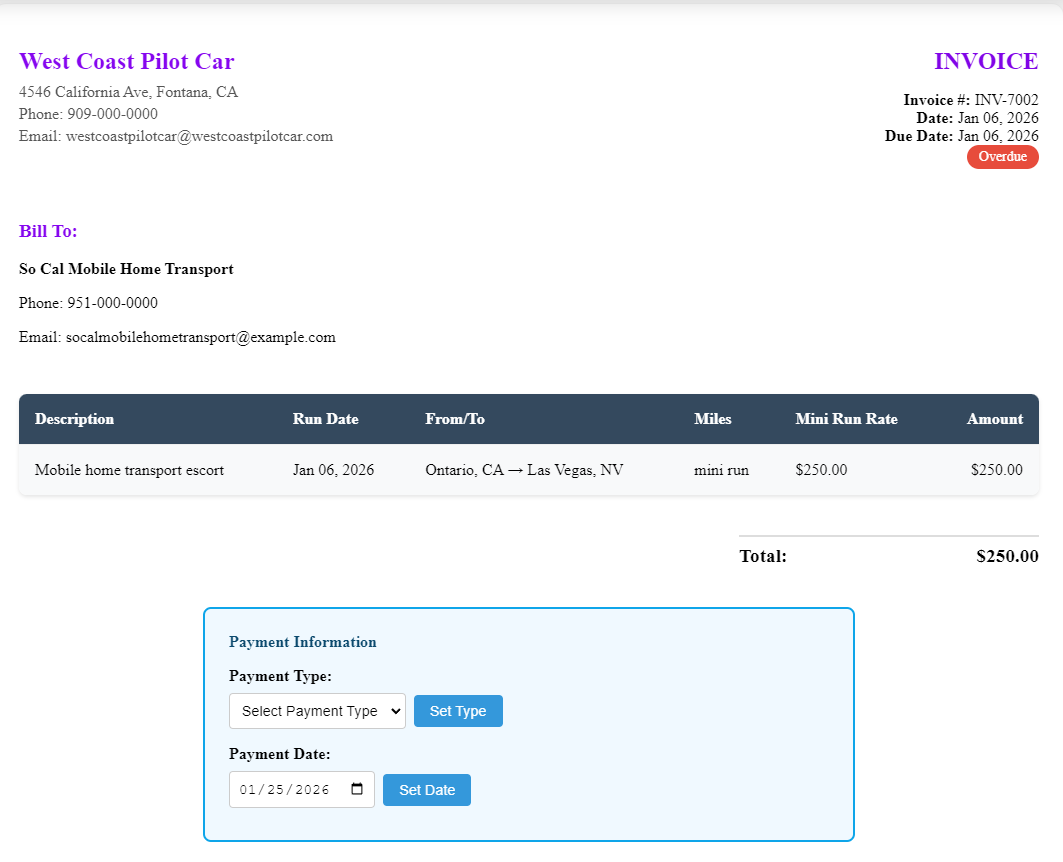
Stop manually tracking invoice status. Pilot Car Admin automatically marks invoices as overdue when due dates pass, and updates payment status when you record a payment date. Focus on your business, not paperwork.
- Automatic overdue detection for sent invoices
- Automatic payment status updates when payment date is set
- Full status tracking: Draft, Sent, Paid, Overdue, Cancelled
- Manual invoice reminders for follow-ups
- Payment type and date tracking
- Upcoming reminders dashboard
Professional invoices ready to share
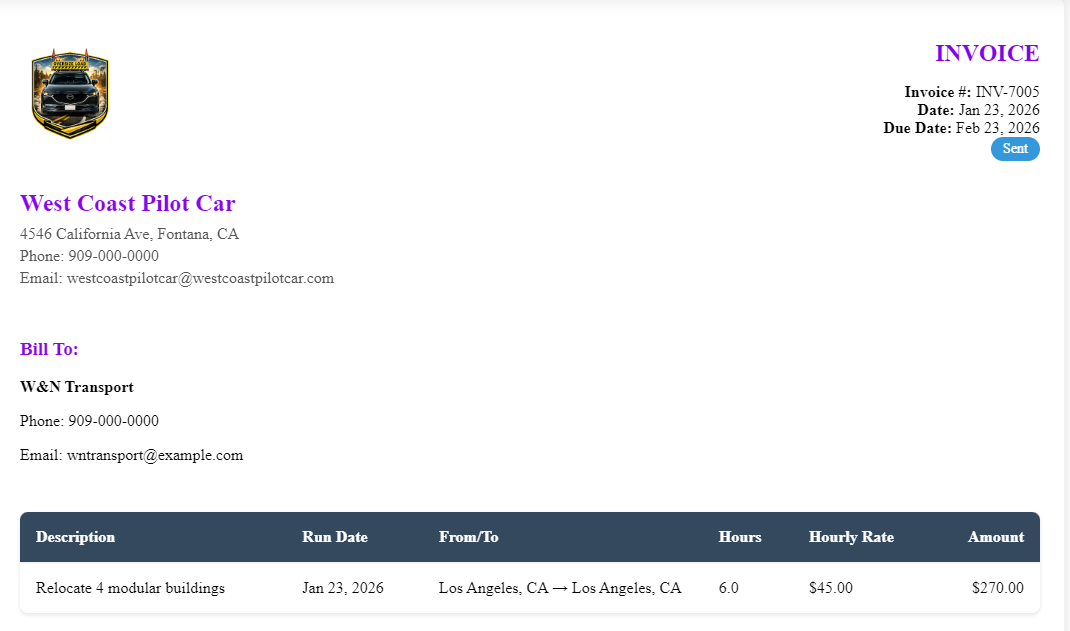
Export professional PDF invoices with your company logo and branding. Print invoices directly or share them via email. Invoice CSV Import on the desktop pulls in bulk lines from spreadsheets—or from a CSV drivers exported from the optional complementary phone app (fleets), which only exists to feed this same Pilot Car Admin workflow; rates and PDFs stay here on Windows.
- PDF export with company logo and branding
- Print invoices directly from the app
- Invoice CSV Import for bulk lines with column mapping
- Custom invoice option (simple line items for non-standard billing)
- Customer and destination management
- Fleets — optional complementary mobile run log: drivers log runs on a phone (no rates there); export CSV; office imports in Pilot Car Admin above
- Phone app includes saved customers/places, driver or truck per run, overnight nights—aligned with Admin import columns
Frequently Asked Questions
All Pilot Car Admin features
Invoicing
Create professional invoices in minutes with multiple billing types, automatic status tracking, and ...
Expenses
Keep track of your expenses with mobile receipt scanning, bank account imports, and automated expens...
Mileage Tracking
Track vehicle mileage for tax deductions. Separate business and personal miles, support multiple veh...
Calendar & Scheduling
Manage your booked runs and schedule with an intuitive calendar interface. Keep track of all your ap...
Everything Tied to the Job
Every job keeps its customer, destination, mileage, and billing history together—so nothing gets los...
Offline-First by Design
Pilot Car Admin runs fully offline. Track jobs, mileage, expenses, and invoices all day, then sync a...
Sync That Just Works
Offline-first with secure, bidirectional sync between devices. No accounts, no cloud dependency, no ...
Built Secure from the Ground Up
App lock, auto-lock, license validation, tamper detection, and local-first storage—designed for inde...
Ready to Get Started?
Join pilot car drivers who are already managing their business more efficiently with Pilot Car Admin.
Have questions before buying? Send a quick message and we'll help you decide if Pilot Car Admin is a good fit.